
PERMITSNAG FOR IPHONE
The opening lands on your Lock Screen.
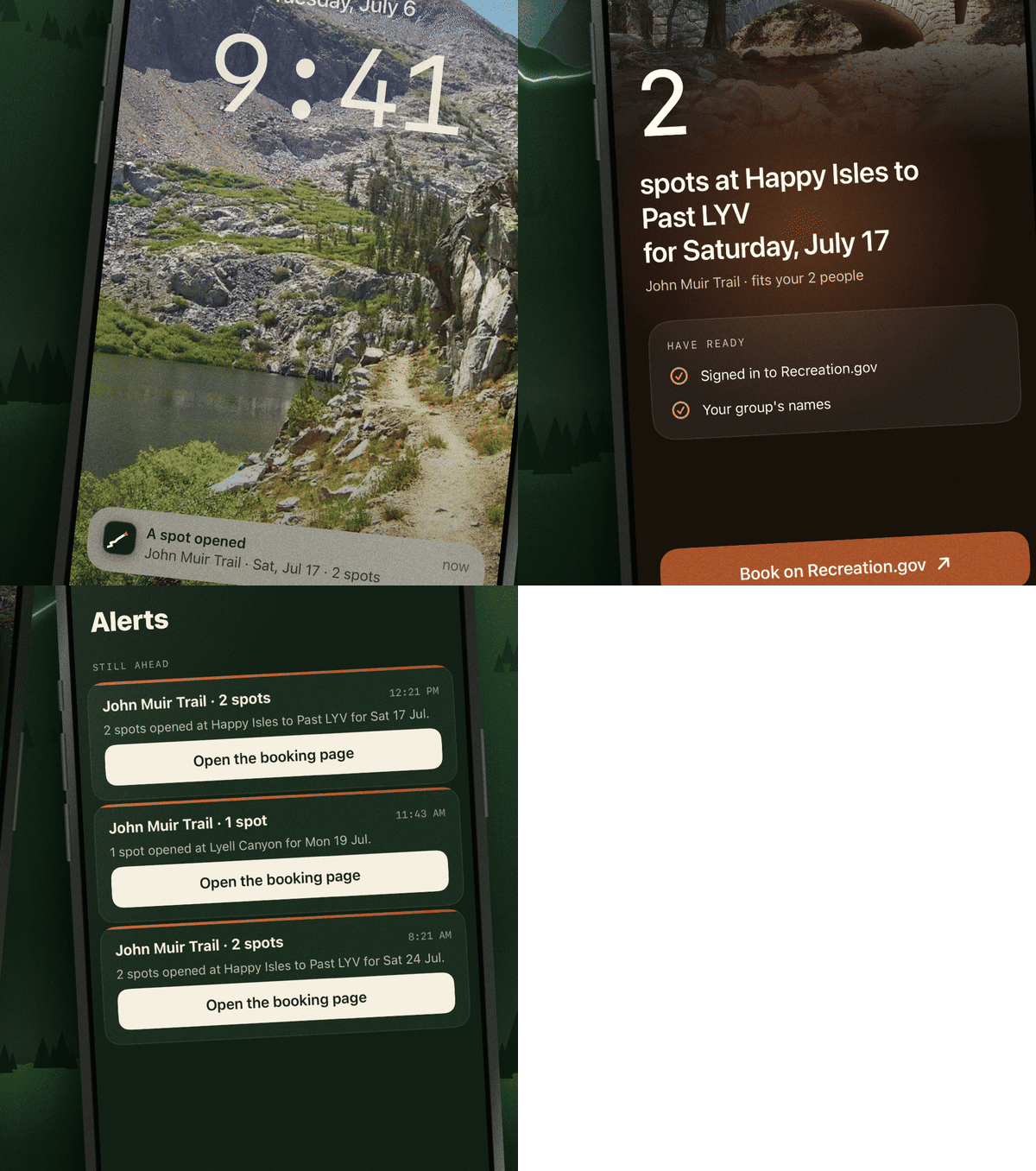
Set an alert for a permit or campsite and PermitSnag for iPhone sends each opening the second we find it. One tap opens the booking page with your dates, and you can stay signed in to Recreation.gov inside the app.


Openings that get through
Alerts come in as Time Sensitive notifications, so they show up even when Focus is on. A Live Activity keeps the opening on your Lock Screen while you book.

Cancellation alerts for the places that sell out
Pick your dates and group size, and we tell you when someone cancels. Whitney, the John Muir Trail, Upper Pines and more.

See the trail before you go
Fly the John Muir Trail, the Enchantments, Rae Lakes and more in 3D, with camps, passes and water along the way.

Plan the trip with your crew
Share one trip plan with everyone going. Gear, food, costs and the dates that matter live in one place.
Everything you set up here comes with you.
Sign in with the email you use on permitsnag.com and your alerts, reminders and plan are already there. If you pick Sign in with Apple, choose Share My Email.
Put it on your phone before the next opening.
Free to download. Your alerts come with you.
Get it on the App Store